本文最后更新于:2021年2月2日 晚上
用 Qt Create 创建第一个 Qt Quick 程序。
新建 Qt Quick 程序
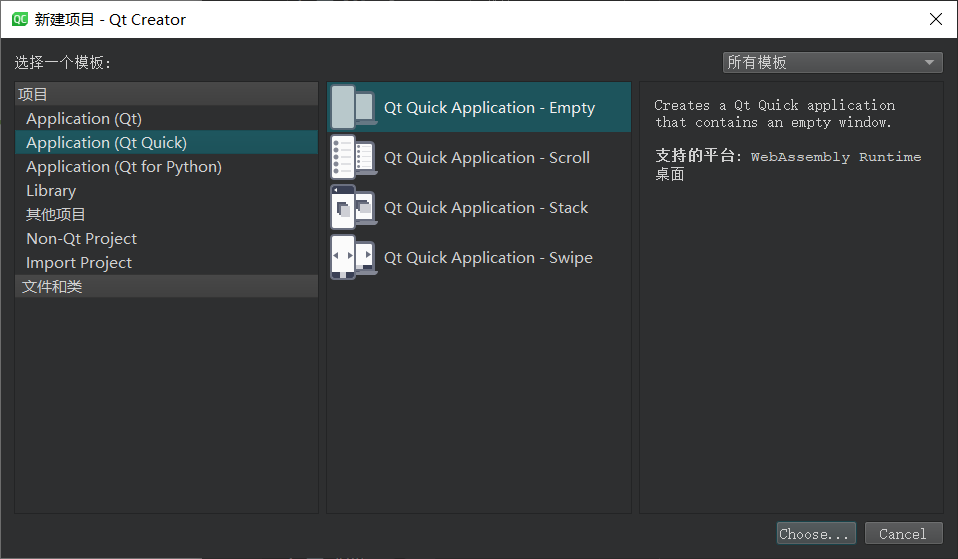
新建对话框
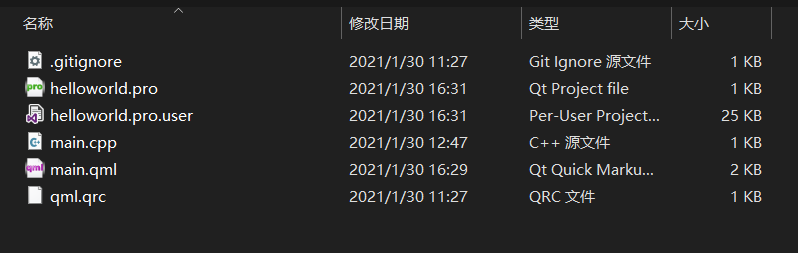
新建完成后的工程结构
main.qml
1
2
3
4
5
6
7
8
9
10
11
12
13
14
15
16
17
18
19
20
21
22
| import QtQuick 2.12
import QtQuick.Window 2.12
Window {
id: root
visible: true
width: 640
height: 480
title: qsTr("Hello World")
minimumWidth: 400
minimumHeight: 250
Text {
id: textHello
anchors.centerIn: parent
text: qsTr("Hello,World")
font.pointSize: 24
font.bold: true
color: "#008787"
}
}
|
main.cpp
| #include <QGuiApplication>
#include <QQmlApplicationEngine>
int main(int argc, char *argv[])
{
QCoreApplication::setAttribute(Qt::AA_EnableHighDpiScaling);
QGuiApplication app(argc, argv);
QQmlApplicationEngine engine;
engine.load(QUrl(QStringLiteral("qrc:/main.qml")));
return app.exec();
}
|
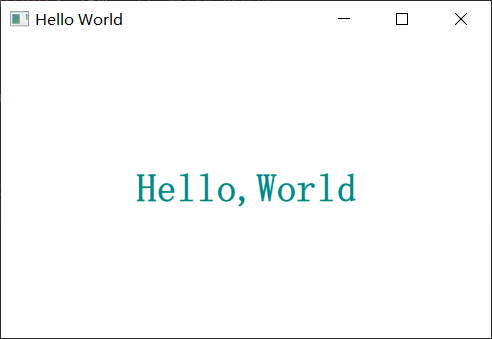
运行结果